

The best price finder offers the following advantages
This is how the best price finder works in the DB Navigator app
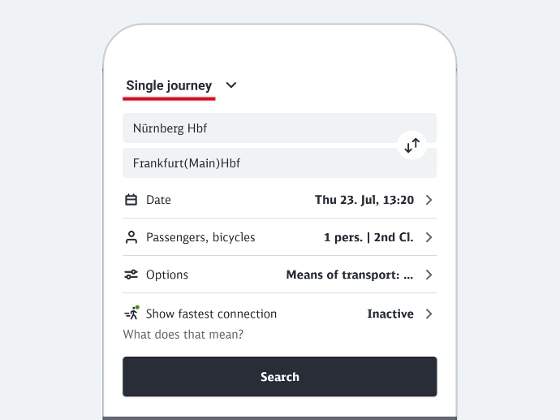
1. Enter the details of your journey in the travel information section
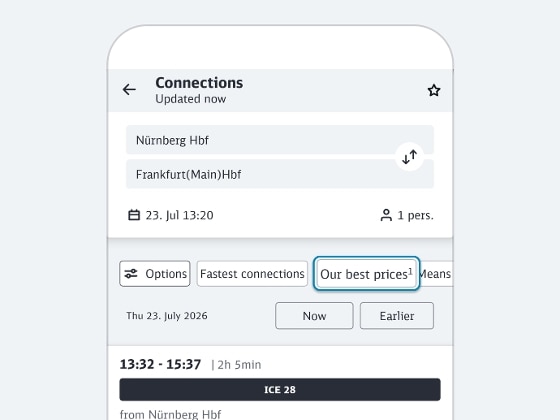
2. Activate best price finder
Now select “Our Best Prices” directly above the connection overview. Alternatively, you can also activate the best price finder there in the “Options” using the slider "Show our best prices"
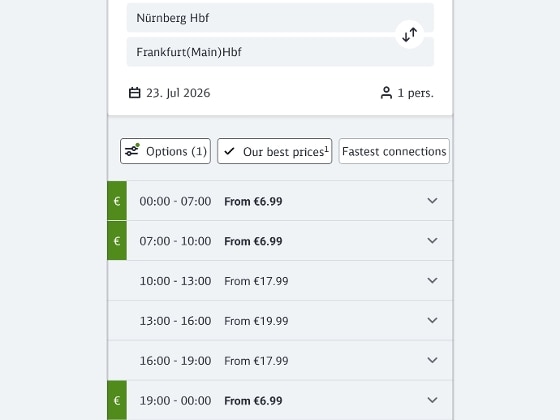
3. Compare prices
Now you are shown an overview of the prices of the selected travel day, grouped by time windows.
You can see the lowest available price during each period. The best price for the entire day is shown in green and marked with €.
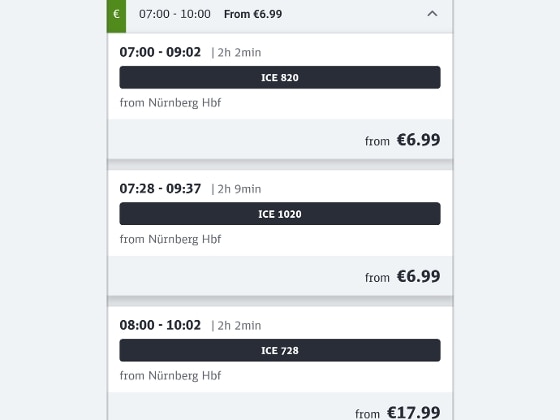
4. Expand time period
By clicking on a time window, you can expand it and display connections within the time window.
The connections are sorted from the lowest price, so you can quickly find low-cost tickets within your preferred time window.
Now select the desired connection and the suitable offer for you.
This is how the best price finder works on bahn.de
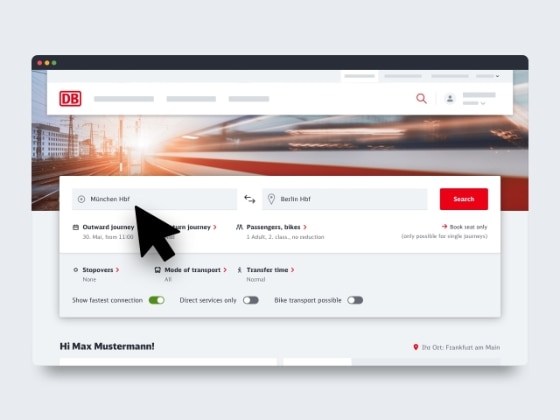
1. Enter the details of your journey in the travel information section
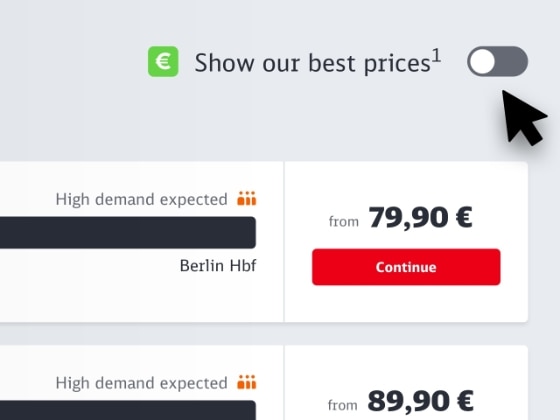
2. Activate best price finder
Directly above the connection overview, activate the best price finder on the right using the slider "Show our best prices".
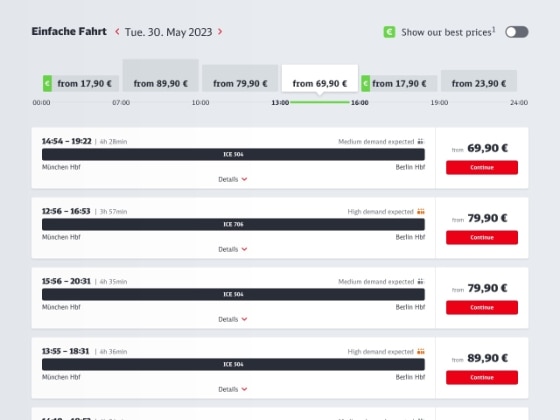
3. Compare prices
Now you are shown an overview of the prices of the day, grouped by time windows.
You can see the lowest available price during each period. The best price for the entire day is shown in green and marked with €.
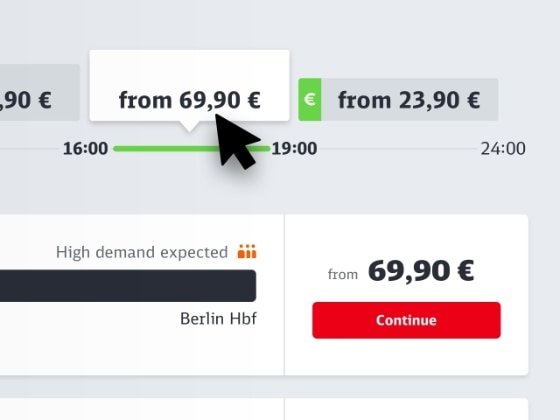
4. Select time period
Click a box in the best price module and our system will show you the connections during that time period.
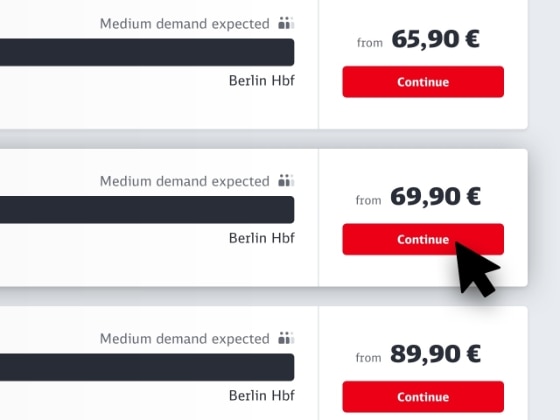
5. Select and book
The connections are sorted from the lowest price, so you can quickly find low-cost tickets within your preferred time window.
Select the connection and offer you want, just as you normally would.
Frequently asked questions about the best price finder
When searching on the current travel day, the best price finder cannot be activated. The reason for this is that there are usually fewer offers available for the current day, which also differ less from each other in terms of price. However, the best price search compares all prices for an entire day - this is not possible with a daily search, as the day has already begun. This is why the best price search is only offered for future travel days.
The best price finder helps you find the cheapest prices for a specific connection for future travel days on bahn.de and in the DB Navigator app.
How to activate the best price finder:
- Enter your travel request in the travel information section of the DB Navigator and search for connections. The connection overview will open.
- You activate the best price finder above the connection overview – either directly via “Our best prices” or by clicking on “Options” and using the slider “Show our best prices”.
Please note:
- Our system may not show prices for some connections (e.g. certain transport association tickets) in the first step even though these tickets are available on int.bahn.de. Their price may be cheaper than the prices in our best price finder. You can display the price in the next step.
- We are unable to show fares for tickets that we do not sell.
The connections are all included at the end of the list for information purposes.
The best price in the travel information section is the day's lowest fare for the selected connection. The best price for the entire day is shown in green and marked with €.
The best price is not a fixed fare or fare category. The best price finder is a new feature that lists connections with prices in ascending order (if available) and sorted by time.
The best price finder replaces the saver fare finder. It is clearer and more comprehensive. As well as displaying super saver fares, saver fares and flexible fares for long-distance transport, it also shows offers for local and international services.
On top of all this, the best price finder presents the prices in a more modern and transparent way. The best price finder is integrated into the travel information to make it easier for you to use.
Choose off-peak hours
For travelers who are not bound to specific departure times, it is advisable to select train connections in the early morning or late evening hours. If you are not tied to a specific travel day, you can choose off-peak hours and, for example, avoid traveling directly before the start or end of weekends, holidays, or public holidays. Trains are usually less crowded at those times and generally cheaper.